


Websites your team can change in minutes.
Edit any page where it sits, make it look like yours, and show each visitor the version meant for them. Checks run on every change before it goes live.
A recording of the Debtly website editor, on the home page of a sample site for Harbour Debt Solutions. The banner's heading is edited on the page and a map section is added. In the theme, the accent and button colours change to orange, the headings to a serif font and the buttons to squarer corners. The banner gets an after hours version that says the office is closed and offers a call back, the page is checked at phone size, and two changes are published after the checks find nothing to fix.
Your site keeps working after hours.
Answers on every page
Out of hours, it answers from your own help articles and hands over anything that needs a person.
Every form fill becomes a lead
The debt check, contact forms and bookings create the lead, score it and assign it to your team in turn.
Checks the live site
Broken links, speed and accessibility checked on the live site, with a fix suggested for each.
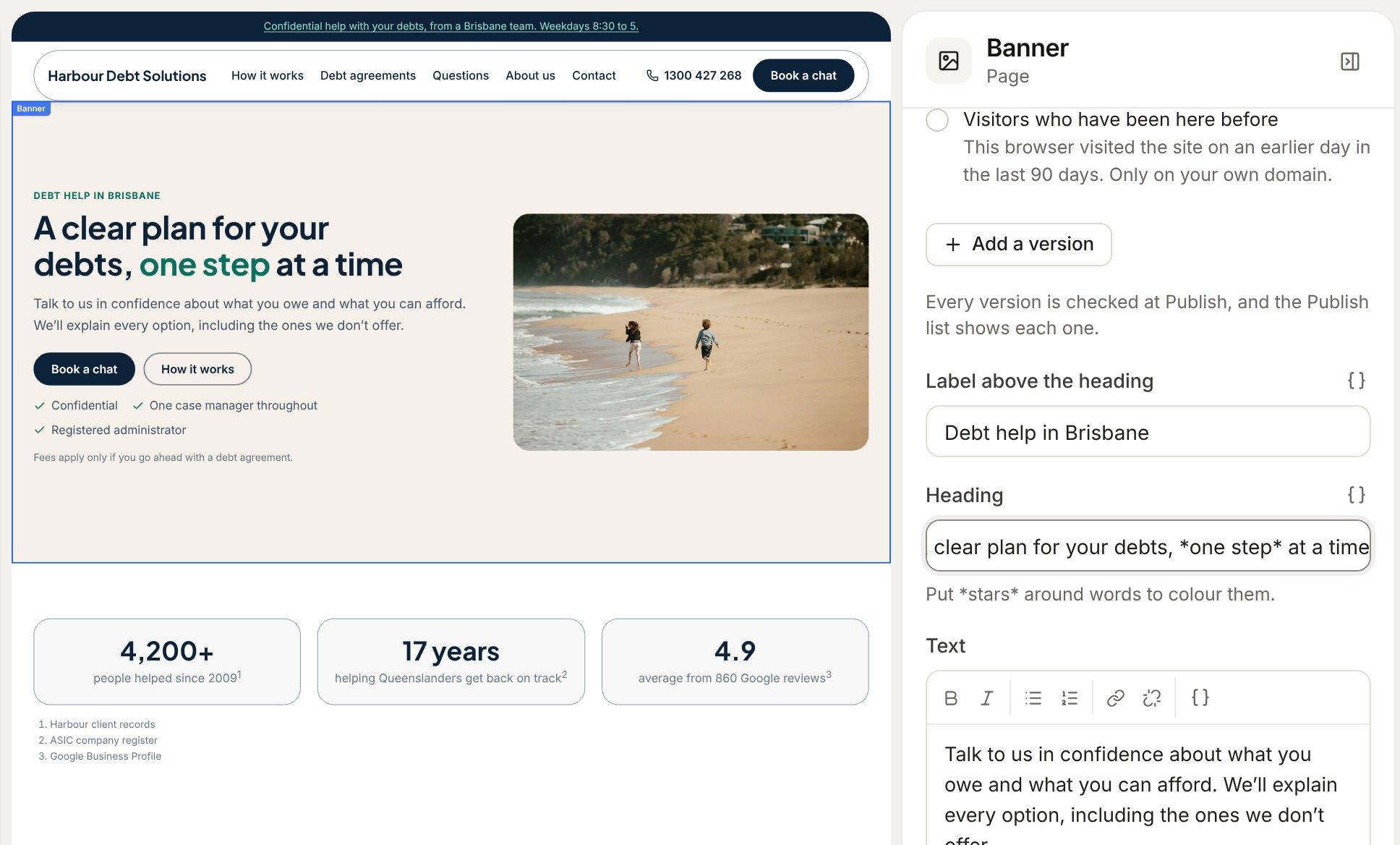
Click it, type, see it change
Click any section on the page and its settings open beside it. Type a heading and the page changes as you go. Put words between stars to colour them.
- 35 sections to add, each previewed in your theme first
- Merge fields keep your phone number and hours right everywhere
- Undo, comments and a draft that saves itself

Most people find you at home, late, on their own.
Give them a site that answers their questions, books a call, and turns their questions into a lead your team can act on in the morning.
Start to finish, in three steps.
- 1
Build
Pick sections, type on the page, choose your colours and fonts, and add versions for different visitors.
- 2
Review
Debtly runs its checks and shows exactly what's changing, with a second approver if you want one.
- 3
Publish
Live on your own domain, with every version kept and the site's health checked afterwards.
Make it look like yours
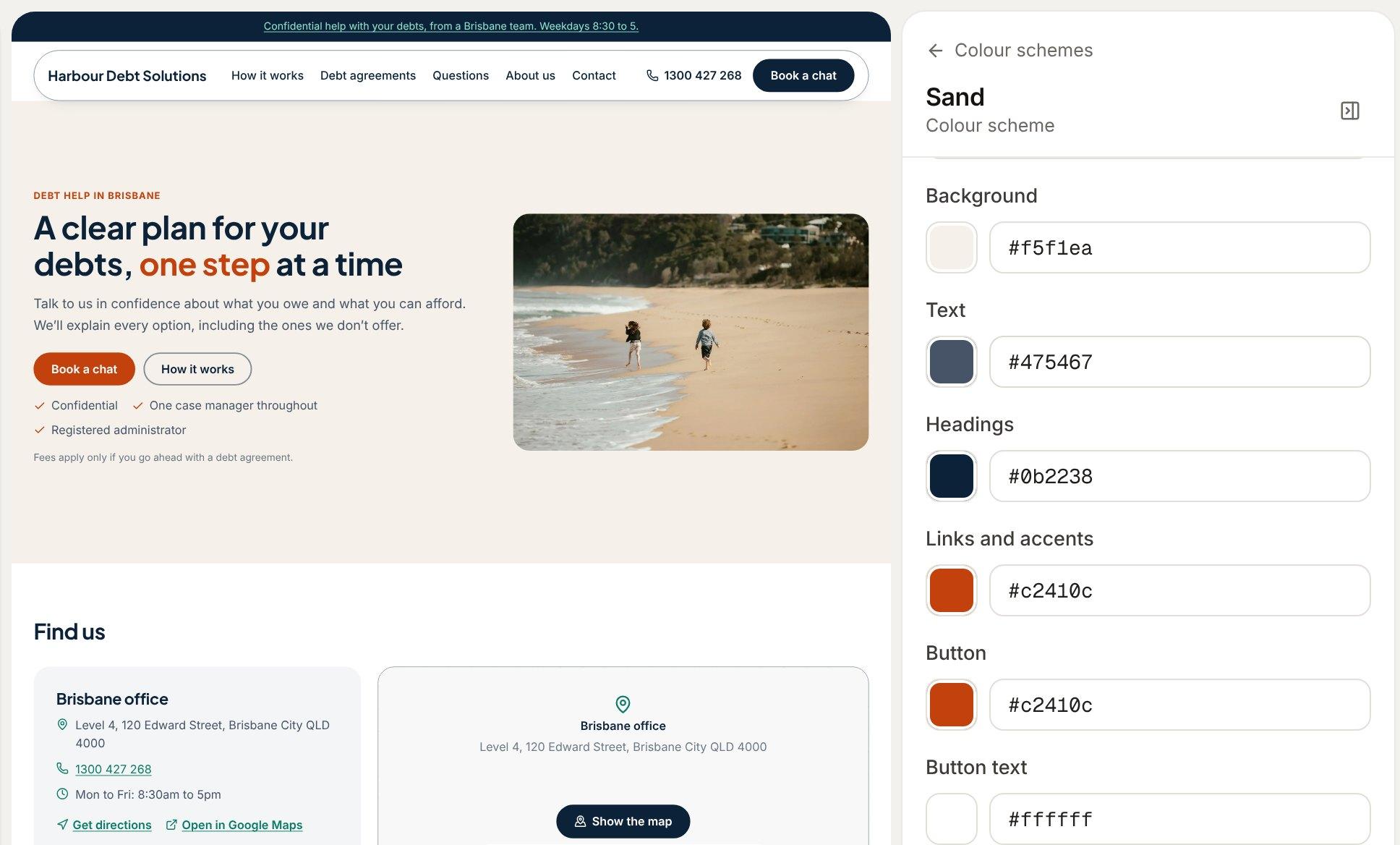
Change a colour scheme and every section using it changes with it. Debtly checks the text is easy to read as you pick.
- Any Google font, served from your site so visitors aren't tracked
- Button corners, cards, spacing and how sections appear
- Custom CSS for a section or the whole theme
The right version for each visitor
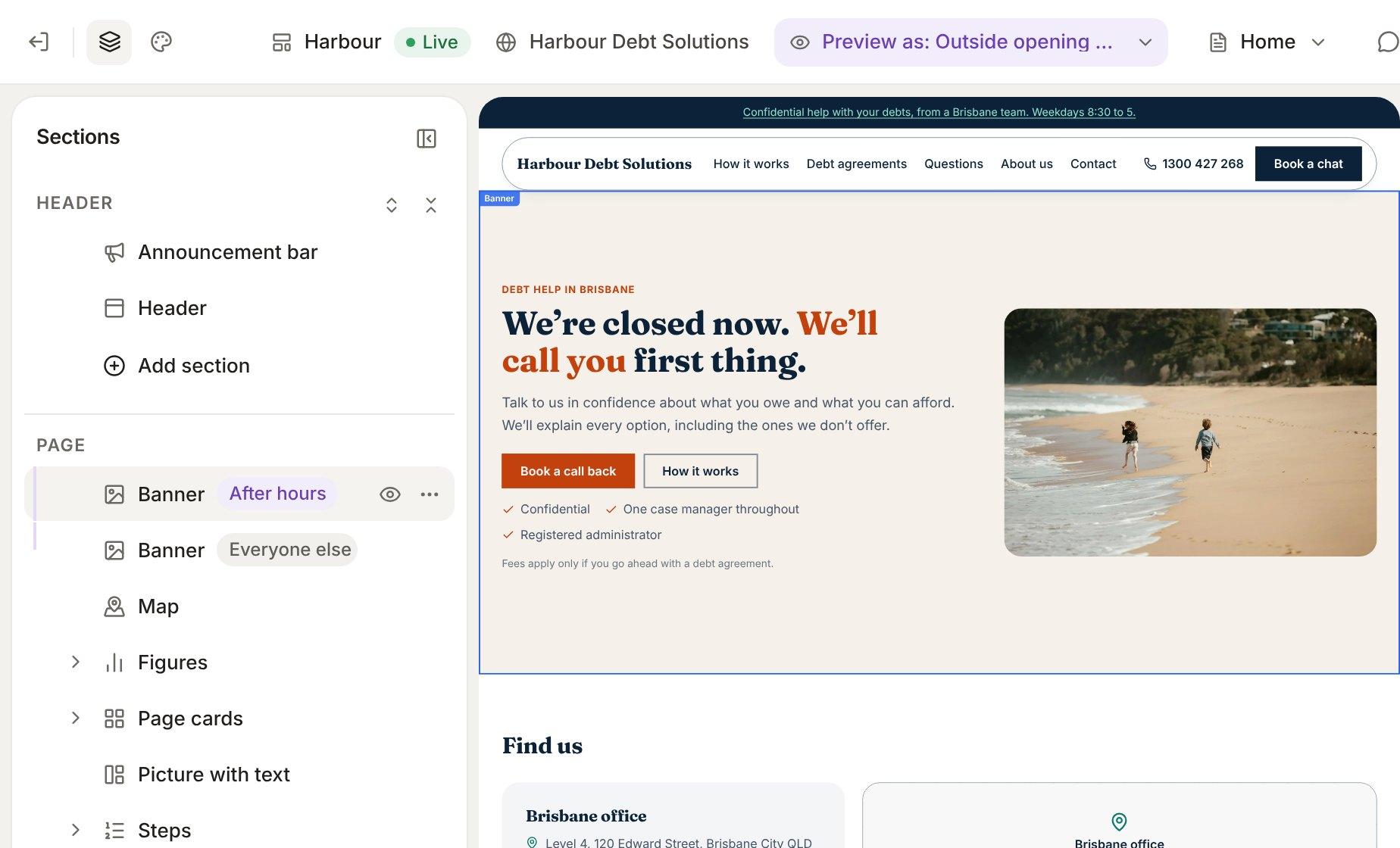
Give a section a version for after hours, for an ad campaign or for people who've been before. Preview as shows you exactly what each of them sees.
- Opening hours come from your contact details
- Campaign versions match the link a visitor clicked
- Every version is checked when you publish
Nothing goes live by accident
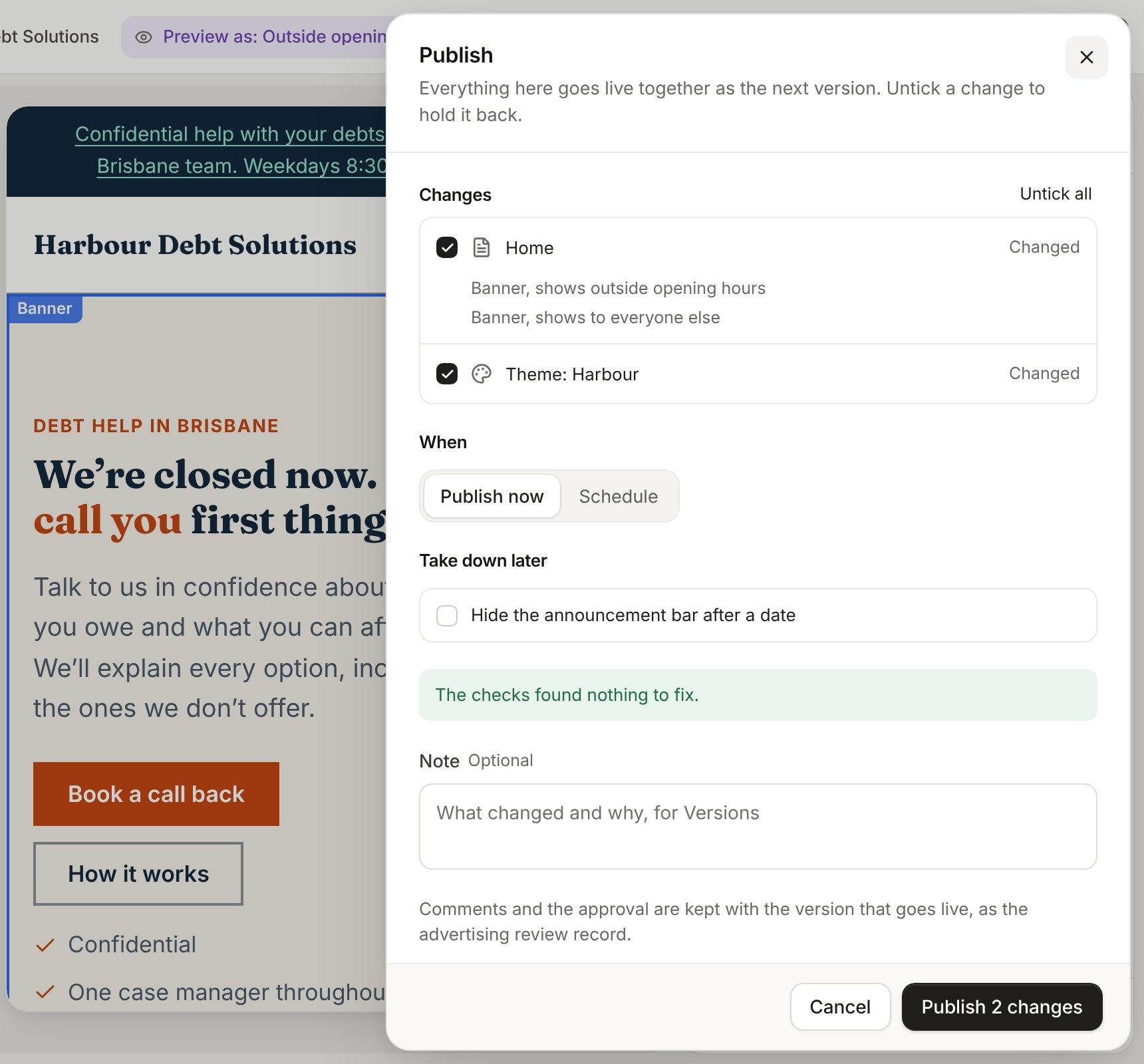
Every edit starts as a draft. Publish shows exactly what's changing, runs the checks your industry needs, and waits for a second approver if you've switched one on.
- Wording checks, such as “free” without the fees beside it
- Publish now or at a time you pick
- Every version kept, with redirects and your own domains
A site that keeps itself in shape
Debtly checks the live site for broken links, missing pages, slow pages and accessibility problems, and suggests a fix for each, down to search titles that run too long.
- Missing addresses found, with a redirect one click away
- Search titles and descriptions graded on every page
- Your offices and hours sent to Google from one place
Everything in websites.
Pages from sections
35 sections, from fees tables and timelines to maps and client stories, edited right on the page.
Colours and fonts
Colour schemes with a contrast check as you pick, and any Google font, served from your own site.
Versions for different visitors
Show a section differently outside opening hours, to an ad campaign, or to people who've been before.
Every screen size
Preview on a phone, tablet and desktop, and choose which screens each section shows on.
Code when you want it
Edit a theme's Liquid sections and CSS, with a draft, a history and a linter.
Forms that make leads
Contact, callback and question forms that create the lead and land in the inbox, with spam kept apart.
Pop-ups
Up to five, shown on exit, after a delay, on scroll or from a button. Never on your legal pages.
Location pages
A page for each place you serve, with checks that block copied text and office wording where there's no office.
Guides
Help centre articles published as guides, with who reviewed them and when they're due again.
Book a call on any page
Show times or a button, booked straight into your real availability.
Offices and hours
Change contact details and opening hours once. Every live page updates, and so does Google.
Search engines
A sitemap, Google and Bing verification, and every page's search title and description checked.
Site health
Broken links, speed and accessibility checked on the live site, with fixes suggested.
Review before it's live
Comments on any section, review requests, a second approver, scheduled publishing and every version kept.
What people ask.
Do we need a designer?
No. Pick sections, type on the page and choose colours and fonts. Debtly checks your text is easy to read as you go.
Can different visitors see different things?
Yes. Any section can have versions for outside opening hours, for visitors from an ad campaign, or for people who've been before. Preview as shows you each one.
Can each operating company have its own site?
Yes. Each one gets its own pages, theme, domain and forms.
Can we edit the code?
Yes. Edit a theme's Liquid sections and CSS, with a draft, a history and a linter.
Do our help articles become pages?
Yes. Help centre articles publish as guides, showing who reviewed them and when they're due again.
One system, not ten.
Every area shares one database, one set of roles and one audit log.
See Debtly with your own cases.
A walkthrough of Debtly, run the way your office works today. Bring your hardest case.